Adding page nav
So you’ve got this lovely new site and you’ve decided exactly how many posts to show at any given time to optimize the viewing experience. But – what’s this? You get to the end of your displayed posts and see…
…nothing.
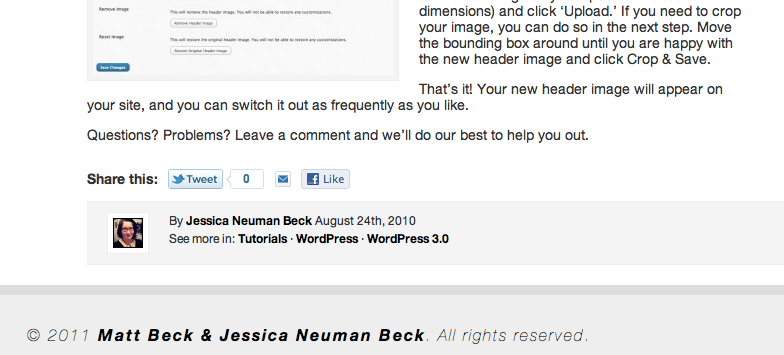
Hey, where's my navigation?
You need a set of navigation links, and stat.
Luckily, they’re easy to add.
Open your index.php file. Scroll down until you get to the end of the Loop and add the following:
<div id="nav-below" class="navigation">
<div class="nav-previous">
<?php next_posts_link(
__('<span class="meta-nav">←</span>
Older posts')) ?>
</div>
<div class="nav-next">
<?php previous_posts_link(
__('Newer posts
<span class="meta-nav">→</span>')) ?>
</div>
</div>
Save and close your index.php file.
Next, open your style.css file and add something like this:
div#nav-above,div#nav-below{
width:100%;
height:20px;
}
div#nav-above a, div#nav-below a{
color:#000;
text-decoration:none;
font-size:14px;
font-weight:bold;
display:block;
margin:20px 0;
}
div#nav-above a:hover, div#nav-below a:hover{
color:#000;
text-decoration:underline;
}
div.nav-previous{
float: left;
}
div.nav-next{
float: right;
}
Save and close your style.css file.
Now refresh your blog page, and behold! Fancy older/newer links to ensure that your readers can browse your content with ease.
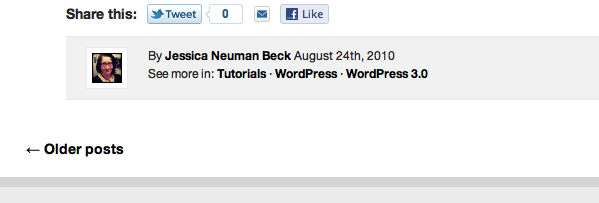
What lovely navigation you have!
