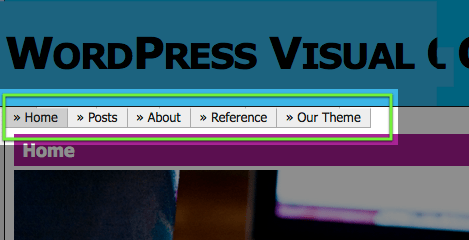
One of the coolest new features in WordPress 3.0 is the ability to add custom menus. In this post we’ll walk you through the process of adding custom menu support to your existing them as well as setting up the custom menus in the admin section.
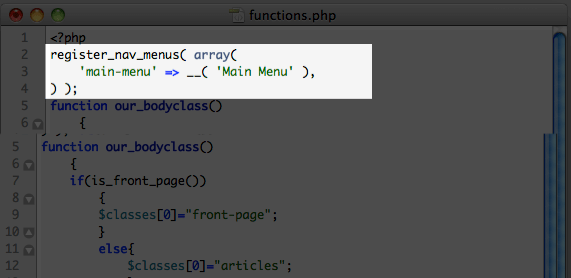
1. Add the register_nav_menus function to your functions.php file.
In your functions.php file, add the following code:
register_nav_menus( array(

'main-menu' => __( 'Main Menu' ),

) );
This will allow your theme to recognize and register a custom navigation menu.
2. Replace the code for your current navigation menu (in your header.php file) with wp_nav_menu.
Open your header.php file and find the section that calls up your navigation menu. It may look something like this:
<?php wp_list_pages(); ?>
Replace that code with this one:
<?php wp_nav_menu( array( 'theme_location' => 'main-menu' ) ); ?>
Using the above code will replace your existing navigation menu with one you specify in the new Menus section (see below).
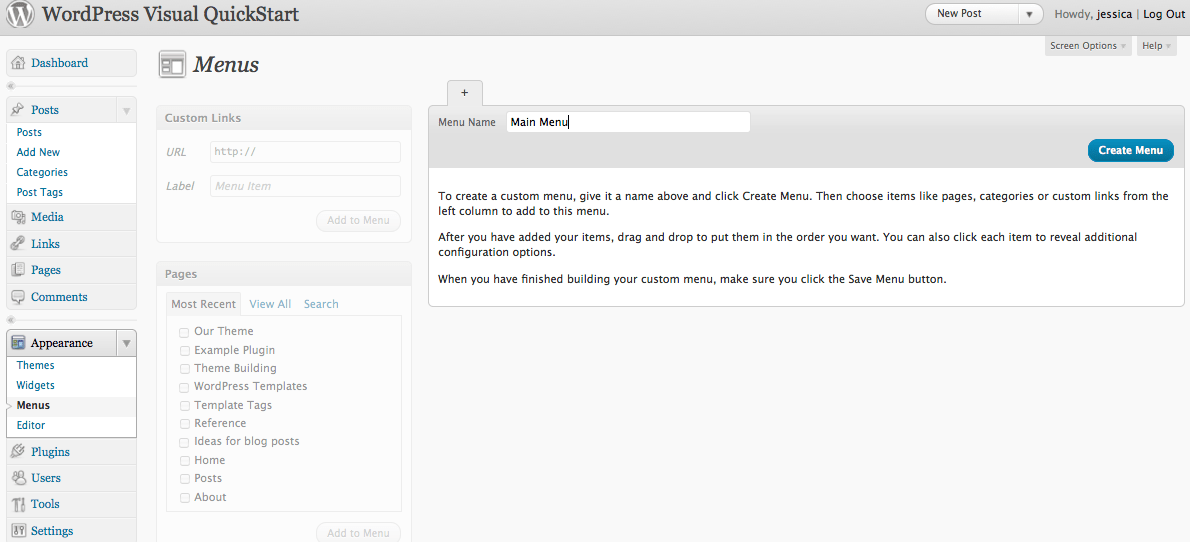
3. Log in to the admin area of your WordPress site and go to Appearance > Menus.
4. Create a new menu. Give your menu a name (this will not be displayed on your site) and add links by choosing from your pages, categories, or custom URLs. Once you’ve added all the links you want to include in your navigation menu, click “Save Menu.”
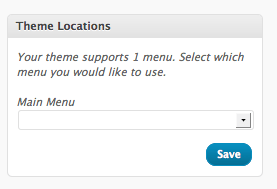
5. In the top left of the Menus section, you will see a box labeled “Theme Locations” which should say the following: Your theme supports 1 menu. Select which menu you would like to use. In the drop-down, choose the menu you just created and hit “Save.”
That’s it! You’ve just set up custom menus for your WordPress theme. You can add, delete or re-order your menu items any time you want.
Additionally, you can add custom menus to your sidebar, too – without touching a single line of code. Just add a new custom menu by clicking the plus sign next to your existing menu. Once you’ve got your new menu named and some menu items in place, go to Appearance > Widgets and choose the Custom Menu widget. Drag it to your sidebar, give it a name, and you’re ready to roll!
Questions? Problems? Leave a comment and we’ll do our best to help you out.
Like this:
Like Loading...
 Jessica is a web designer, writer, and all-around geek.
 Don’t miss out on the chance to attend WordCamp PDX this year – there are TONS of speakers (I’m one of them!) and some pretty fab giveaways, including copies of our book!